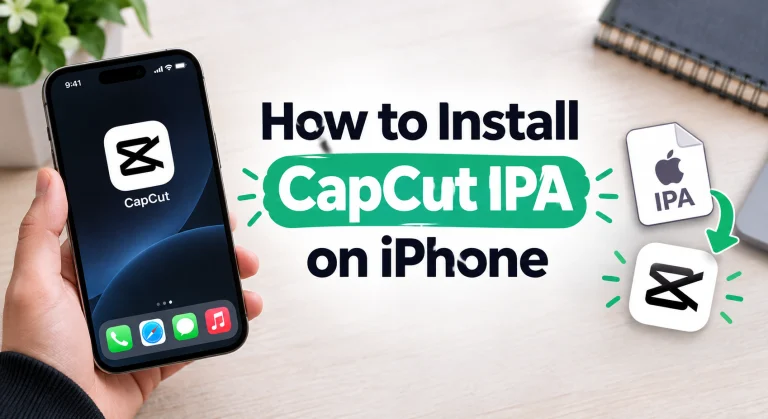
How to Install CapCut IPA on iPhone Without Jailbreak (2026 Methods)
Plenty of iPhone owners want CapCut in a form they can sideload: a specific build, an install that does not depend on the App Store, or simply the habit of managing their own apps. The usual blocker is the jailbreak question, and the answer is a relief. You do not need to jailbreak anything. Normal tools sign the IPA with your own Apple ID and install it on a completely stock iPhone.
This guide walks through the three working methods of How to Install CapCut IPA on iPhone, what to do right after installing, and how to stop the app from dying on you a week later. If you only want the download itself, it lives on our iOS page, linked below. Here we focus on the install.
What you need before you start?
- The CapCut IPA file. Download it from our CapCut Pro IPA download page so you know exactly which file you are signing.
- Your Apple ID. A free account works. Some people use a spare Apple ID for sideloading, which is fine and keeps things tidy.
- A computer for two of the three methods. Sideloadly and AltStore both use a Windows PC or Mac for the first install. Only the direct install method skips the computer, and it comes with a catch we will get to.
- A cable and some free space. A USB cable for the computer methods, and enough storage on the phone for the app plus your video projects.
- iOS 16.4 or later for the current CapCut builds, plus a stable internet connection for the first launch verification.
How to Install CapCut IPA on iPhone Without Jailbreak?
Method 1: Sideloadly, step by step
Sideloadly is the simplest route if you have a computer nearby. It signs the IPA with your Apple ID and pushes it to the phone over USB.
- Download and install Sideloadly on your Windows PC or Mac, and make sure iTunes (or Finder on newer macOS) sees your iPhone when you plug it in.
- Open Sideloadly and drag the CapCut IPA file into the IPA box.
- Select your iPhone in the device field and type in your Apple ID email.
- Click Start. Sideloadly will ask for your Apple ID password to sign the app, then install it.
- When the install finishes, the CapCut icon sits on your home screen. Do not open it yet, the trust step further down comes first.
The whole thing takes a few minutes, most of it waiting on the signing. If Sideloadly throws an error, it is usually a stale cable connection or an Apple ID verification prompt waiting on the phone, so unlock the phone and check for popups before retrying.
Method 2: AltStore, step by step
AltStore takes a little more setup, then pays you back every week. It installs the IPA through its own store app on the phone, and it can refresh your apps automatically so they never expire on you.
- Install AltServer on your computer from the AltStore website, and connect your iPhone by cable.
- Use AltServer’s menu to install AltStore onto the iPhone. You will sign in with your Apple ID during this step.
- Trust the AltStore profile on the phone (the trust steps are below) and open AltStore.
- Transfer the CapCut IPA file to your phone, for example through Files, a cloud drive or AirDrop from a Mac.
- In AltStore, open the My Apps tab, tap the plus icon, and choose the CapCut IPA. AltStore signs and installs it.
From now on, leave AltServer running on the computer and keep both devices on the same Wi-Fi. AltStore refreshes your sideloaded apps in the background before their signing runs out.
Method 3: Direct install and enterprise certificates
Direct install services promise the easiest path: tap a link, install the app, no computer at all. They work by signing the app with an enterprise certificate borrowed from some company program, and that is exactly their weakness. Apple revokes these certificates whenever it notices them, sometimes within days. The moment a certificate dies, the app refuses to open and everything inside it is stranded until you reinstall some other way.
There is no fix on your phone for a revoked certificate. So treat direct installs as a quick trial if you must, and move to Sideloadly or AltStore for anything you plan to keep. Your own Apple ID signing cannot be revoked by Apple, which is why the computer methods are the ones we recommend.
After installing: trust the developer profile
Whichever method you used, iOS will block the first launch until you trust the profile that signed the app. This takes ten seconds:
- Open Settings, then General, then VPN & Device Management.
- Under Developer App, tap the profile with your Apple ID (or the AltStore profile).
- Tap Trust, confirm, and make sure the phone is online so iOS can complete the verification.
Now open CapCut from the home screen. If you still see a verification error, the fixes section below covers it.
Keeping the app alive: the 7 day refresh
Here is the part nobody warns you about. Apps signed with a free Apple ID are valid for 7 days. On day eight, iOS simply stops opening them. Nothing is wrong with your phone or the file, the signature clock ran out.
AltStore users barely notice this, because refreshes happen automatically on shared Wi-Fi with AltServer running. Sideloadly users refresh manually: plug the phone in, run the same install again over the existing app, and the clock resets without deleting your projects. Get into the habit of refreshing a day or two early, and the expiry will never catch you mid edit.
Common errors and fixes
“Unable to Verify App.” Get online, then re-trust the profile under Settings, General, VPN & Device Management. If the app came from a direct install service, its certificate was probably revoked, so switch to a computer method.
The app crashes on open. Restart the phone first. If that fails, delete the app, install a fresh copy from the CapCut IPA download and install guide, and trust the profile before the first launch.
The app stopped opening after a week. That is the 7 day signing expiry. Refresh with AltStore or reinstall over the top with Sideloadly.
Install fails halfway. Free up storage, re-download the IPA in case the first download was incomplete, and check that your Apple ID details were typed correctly.
Safety notes worth reading
Sideloading puts the responsibility on you, so two habits matter. Only install IPA files from sources you actually trust, because a modified IPA can hide anything and Apple has not reviewed it the way App Store apps are reviewed. Apple cannot verify sideloaded apps, which means a bad file has no safety net. Second, be suspicious of any site that pairs an IPA with extra installers, profile downloads you did not ask for, or requests for payment details outside the app. The tools in this guide are free, and the install should never ask for more than your Apple ID sign in.
Frequently asked questions
Is it legal to sideload CapCut IPA on my own iPhone?
Sideloading apps onto your own device with your own Apple ID is a normal, supported capability of the tools above and needs no jailbreak. You are responsible for the files you choose to install, so stick to sources you trust.
Will sideloading CapCut delete my existing projects?
Refreshing or reinstalling over the top keeps your data in place. Deleting the app first is what wipes its local data, so refresh before the signing expires instead of reinstalling from scratch.
Can I sideload CapCut IPA without a computer?
Only through direct install services, which rely on enterprise certificates that Apple revokes without warning. For an install that lasts, a computer with Sideloadly or AltStore is the reliable route.
How many apps can I sideload with a free Apple ID?
A free Apple ID can keep a small number of signed apps active at once, and each one follows the 7 day refresh cycle. For a single app like CapCut, the free tier is all you need.
Does the CapCut IPA work on iPad too?
Yes. The same IPA installs on iPad with the same methods, as long as the iPad runs a recent enough iOS version. The bigger screen is genuinely nice for timeline editing.